> For the complete documentation index, see [llms.txt](https://wiki.redmodding.org/cyberpunk-2077-modding/llms.txt). Markdown versions of documentation pages are available by appending `.md` to page URLs; this page is available as [Markdown](https://wiki.redmodding.org/cyberpunk-2077-modding/modding-guides/vehicles/weaponizing-vehicles/windows-and-doors-opening-+-mountedweapons-clue.md).
# Windows & Doors opening + MountedWeapons clue
Choosing the right way to shoot while driving a vehicle.
Most of the vehicles have the windows going down when you get your gun, allowing you to shoot without breaking it. Others have the door opening because the window can't retract itself, or because the glass is replaced by opaque screens.\
And special ones have mounted weapons, so no windows or doors, but big guns and missiles.
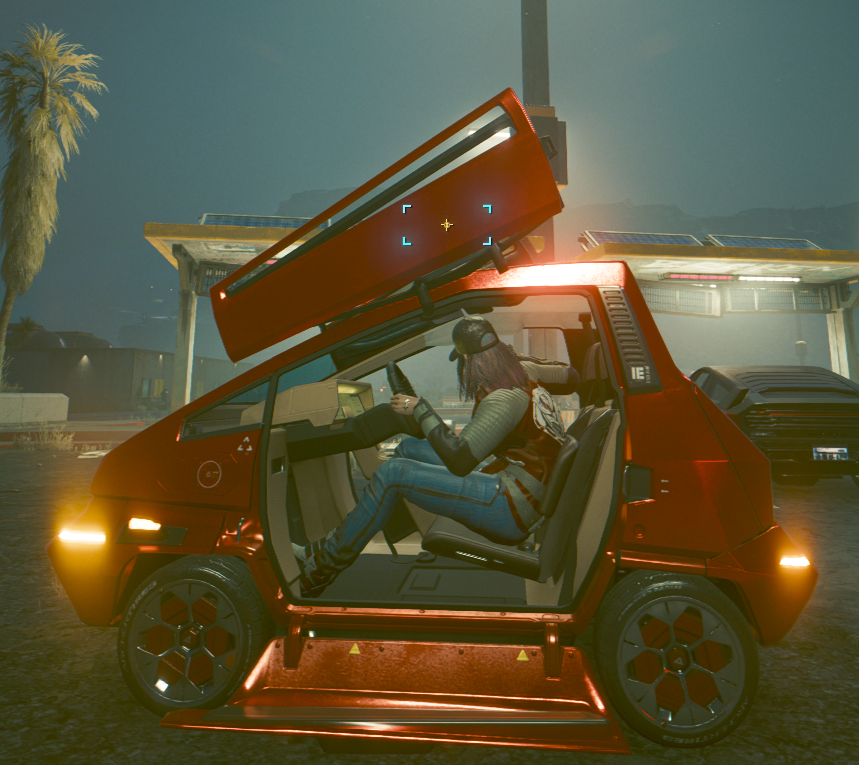
Maimai with door open
Porsche with window open
If you want to choose a specific opening for your custom vehicle, or just modifying existing ones, you can do it with couple of lines in a `.yaml` file.
The string you need to change looks like this : `DriverCombatTypes.Standard`
There's 5 variations of it:
* `DriverCombatTypes.Standard`\
("Roll down driver and passenger windows for driver combat.")
* `DriverCombatTypes.Doors`\
("Open driver and passenger doors for driver combat.")
* `DriverCombatTypes.MountedWeapons`\
("Doors and windows do not open, player controls mounted weapon(s) on the vehicle.") PS: You need to add all needed weapons components to your vehicle to make it work, in .app, .ent and .mesh. I still need to explore this part)
* `DriverCombatTypes.Disabled`\
("Driver combat disabled.")
* `DriverCombatTypes.CrystalDome`\
("Unsupported for now")
{% hint style="info" %}
Note : the *MountedWeapons* mode can only work if the vehicle has all the weapons and components equiped. If you try with no weapons, you will just have the visor.
(I will probably try to add more info about weapons if I have time to explore this)
{% endhint %}
Mounted weapons' locations are determined by the .ent file of the vehicle, and generally are identical to the base car .ent being used for the custom mesh. This can result in misplacement of the weapon *emitters* - the parts which actually shoot a bullet/missile - and requires some work to change. In WolvenKit, open the .ent file directly. In the file editor, expand `RDTDataViewModel\components\vehicle_slots\slots` and scroll down, looking for the following entries, usually at the end:
* `VehiclePowerWeaponLeftSlotA`
* `VehiclePowerWeaponRightSlotA`
* `VehiclePowerWeaponLeftSlotB`
* `VehiclePowerWeaponRightSlotB`
* `VehiclePowerWeaponLeftSlotC`
* `VehiclePowerWeaponRightSlotC`
* `VehicleMissileLauncherA`
* `VehicleMissileLauncherB`
* `VehicleMissileLauncherC`
In these records, slots can be assigned to specific bones in the rig, or have their position and rotation adjusted.
###
### Finding the string
You can search for it using *Tweak Browser* inside *WolvenKit.*
Choose the vehicle name you want to find and look for this structure:
* `Vehicle.v_type_yourvehicle`
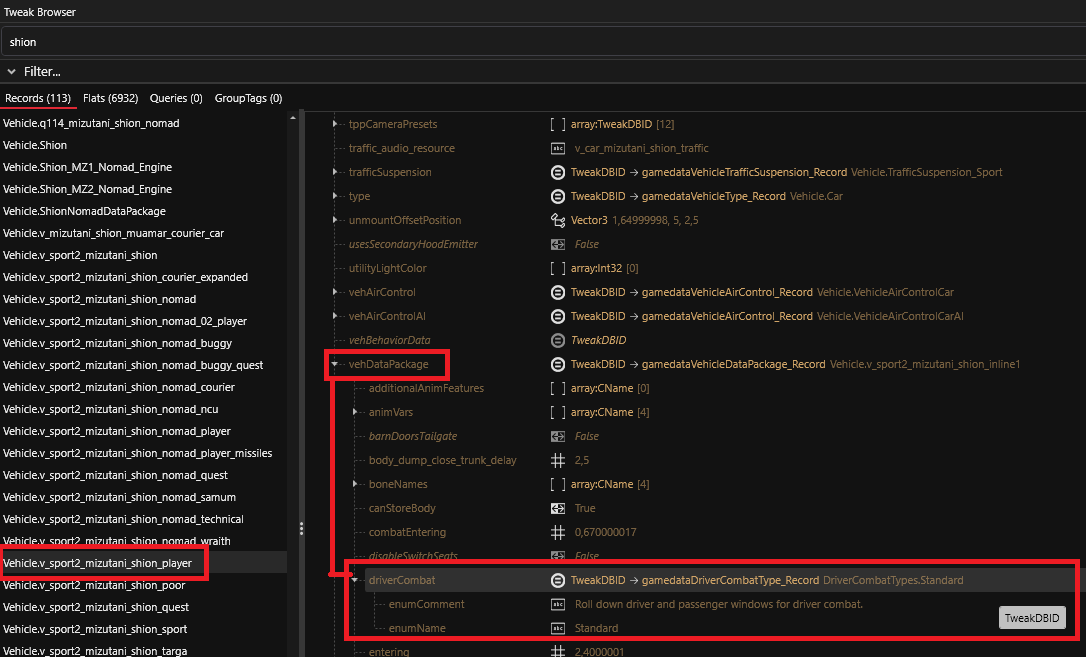
Once you are inside, follow the path and unwrap the sub-categories. Here's an example with the Shion car.
The path looks like this :
`▼ Vehicle.v_sport2_mizutani_shion_player`\
`∟ ▼ vehDataPackage`\
`∟ ▼ driverCombat`\
`∟ enumeName : Standard`
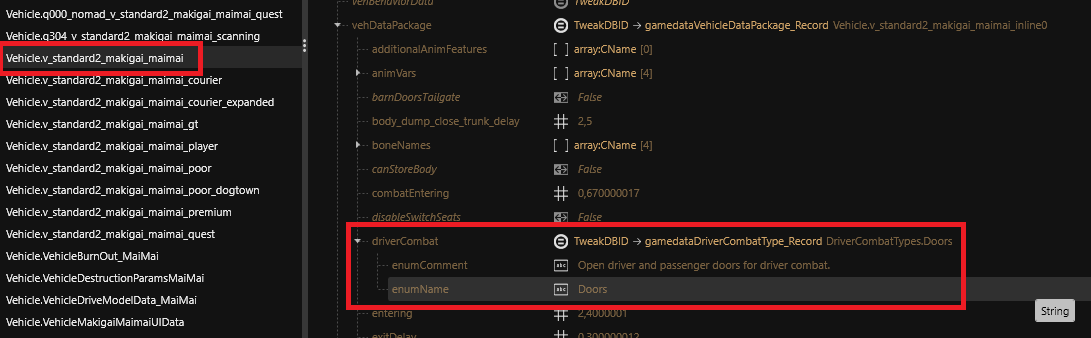
Two examples in Wolvenkit:
(click to expand)
(click to expand)
You can see that `vehDataPackage` is also refered to `Vehicle.v_type_yourvehicle_inlineX` ( X = the line number inside the main file)
Result of the 2 previous example:
* `Vehicle.v_sport2_mizutani_shion_inline1`
* `Vehicle.v_standard2_makigai_maimai_inline0`
### Modify the value in game using CyberEngineTweaks
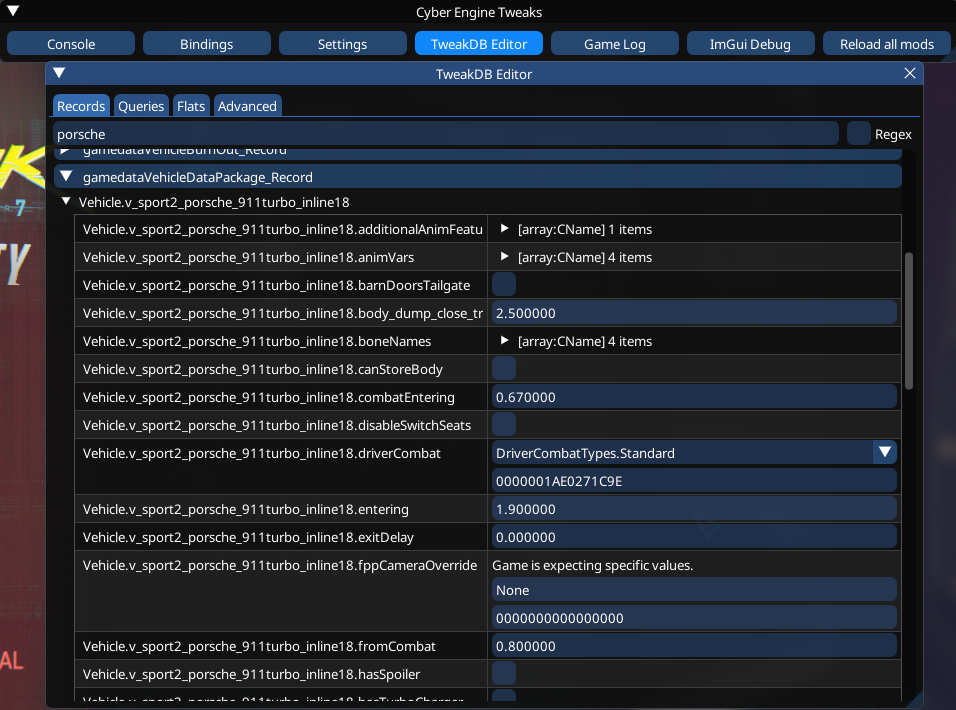
If you want to do some tests with various vehicles and see if it's working, you can do it using CET.\
In the TweakDB Editor, search for your current vehicle and look for `gamedataVehicleDataPackage_Record`.
You will have the content of the `vehDataPackage` with the corresponding `inline` number.
Look in the right column for the value of `driverCombat`.\
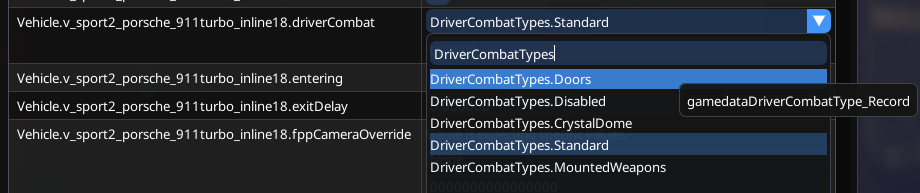
Expand the tab and write `DriverCombatTypes` to see all the variations.
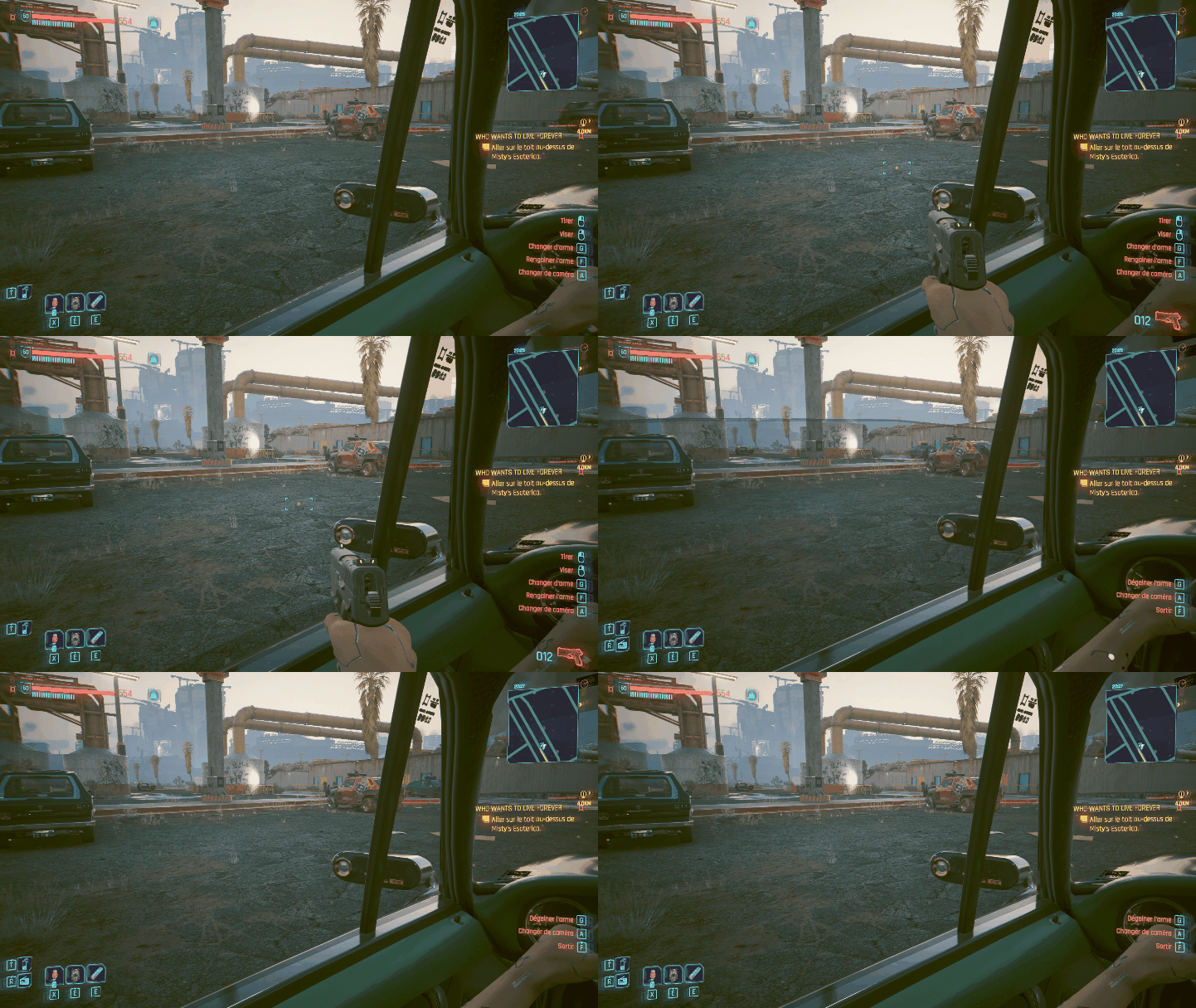
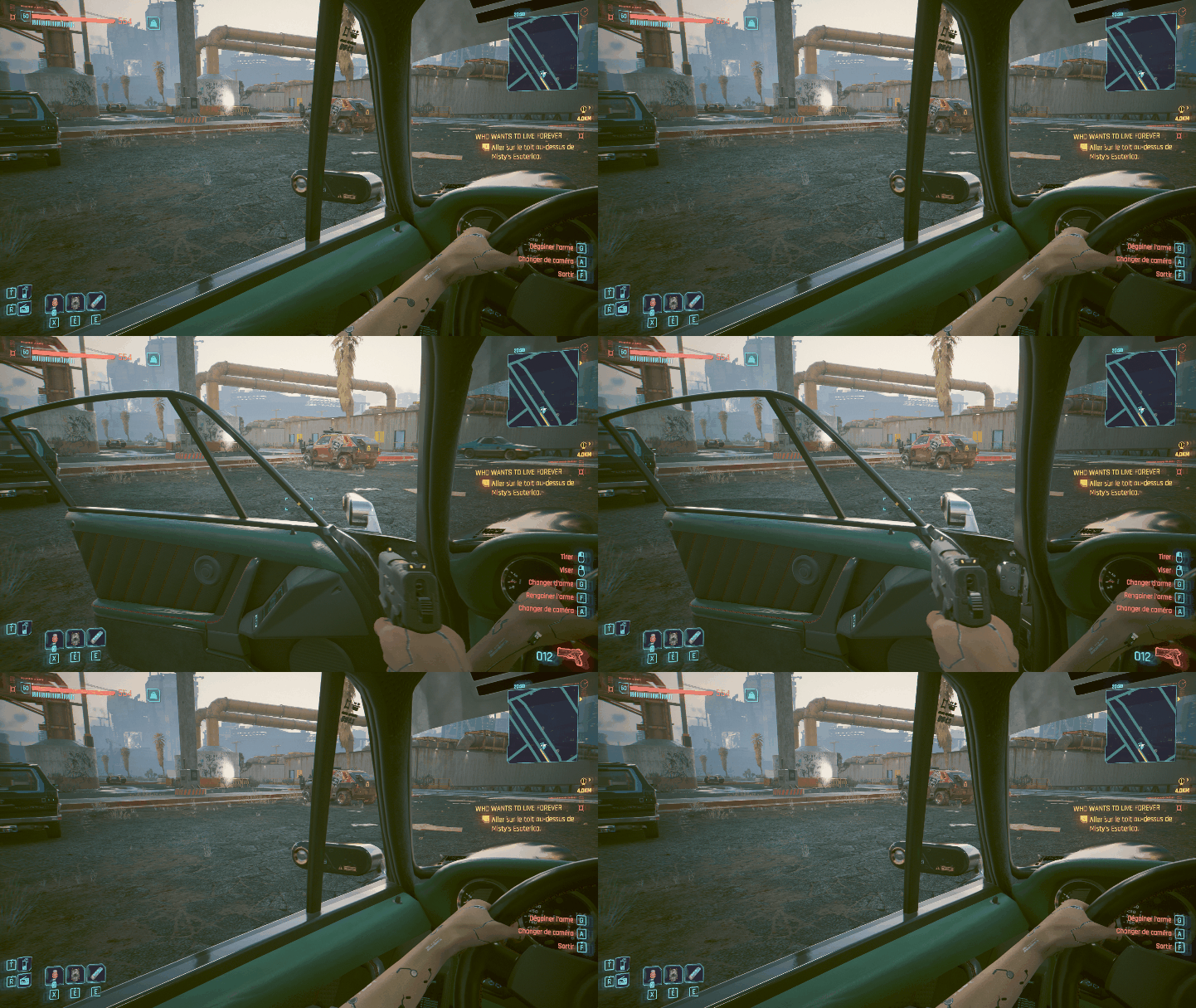
Now let's try to change the Porsche from *Standard* (windows) to *Doors*.
Standard (windows)
Doors
{% hint style="info" %}
The door and the window will open at the same time if both have animations. (they probably use the same trigger)
{% endhint %}
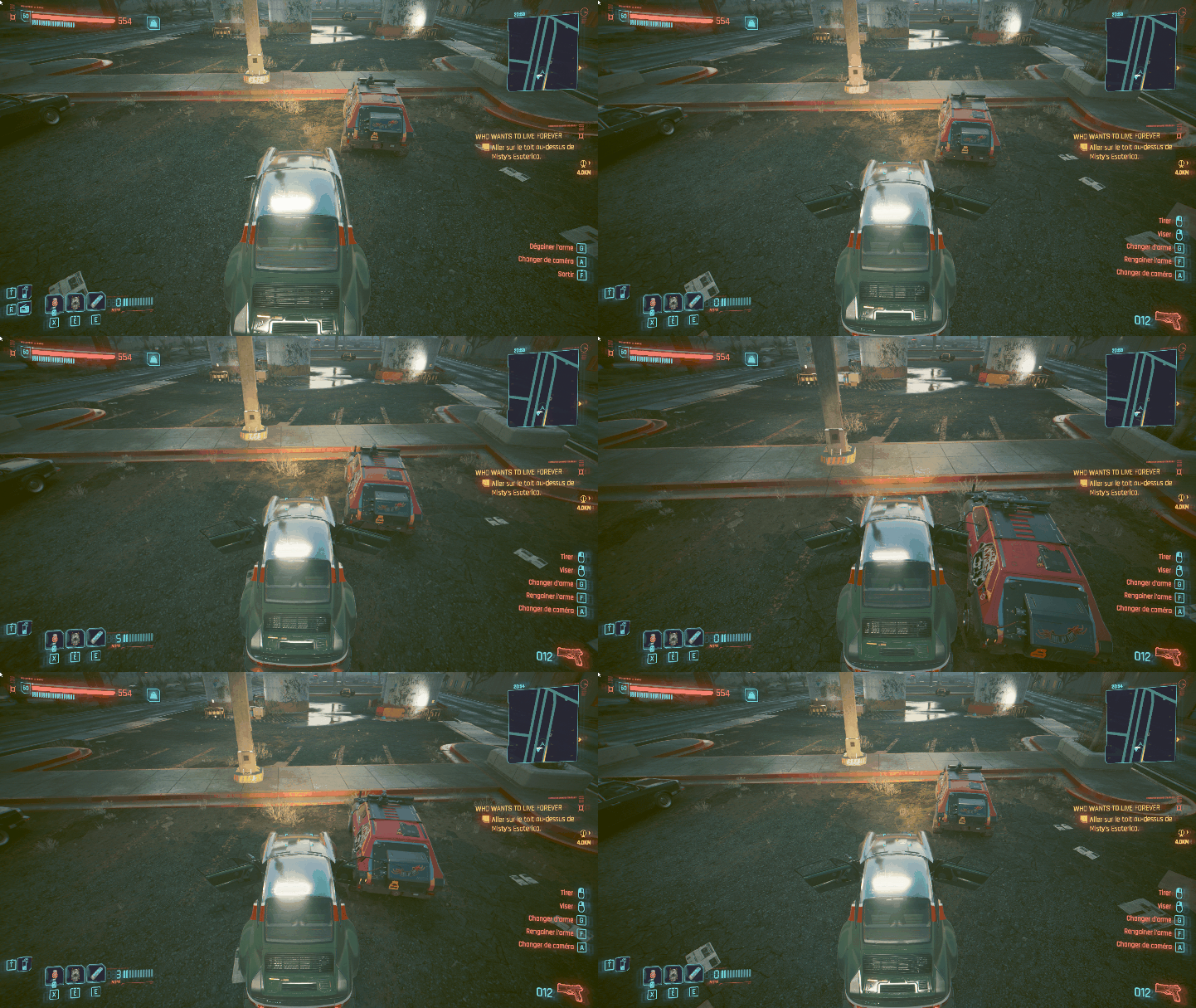
Doors open
{% hint style="info" %}
You can now drive with the doors open, but without collisions on it.
{% endhint %}
###
### Add the changes in your mod
If you want to add this setting on an existing car or inside your new custom vehicle, you can add some lines in your `.yaml` file like this :
```yaml
Vehicle.v_sport2_mizutani_shion_player:
$base: Vehicle.v_sport2_mizutani_shion
vehDataPackage:
$base: Vehicle.v_sport2_mizutani_shion_inline1
driverCombat: DriverCombatTypes.Doors
```
There's multiple ways to write the inlines records, as mentionned on the [TweakXL github](https://github.com/psiberx/cp2077-tweak-xl/wiki/YAML-Tweaks) by **psiberx**.
---
# Agent Instructions
This documentation is published with GitBook. GitBook is the documentation platform designed so that both humans and AI agents can read, navigate, and reason over technical content effectively. Learn more at gitbook.com.
## Querying This Documentation
If you need additional information that is not directly available in this page, you can query the documentation by asking a question.
Perform an HTTP GET request on the following URL with the `ask` and `goal` query parameters:
```
GET https://wiki.redmodding.org/cyberpunk-2077-modding/modding-guides/vehicles/weaponizing-vehicles/windows-and-doors-opening-+-mountedweapons-clue.md?ask=&goal=
```
`ask` is the immediate question: it should be specific, self-contained, and written in natural language.
`goal` is what the user is ultimately trying to achieve, the reason they need the answer. Sharing it helps GitBook give you a better, more relevant answer. A goal is most helpful when it describes the outcome the user wants rather than restating the question. For example, with `ask=how do I create an API token`, a goal like `automate deployments from our CI pipeline` lets GitBook tailor the answer to that use case.
The response will contain a direct answer to the question and relevant excerpts and sources from the documentation.
Use this mechanism when the answer is not explicitly present in the current page, you need clarification or additional context, or you want to retrieve related documentation sections.