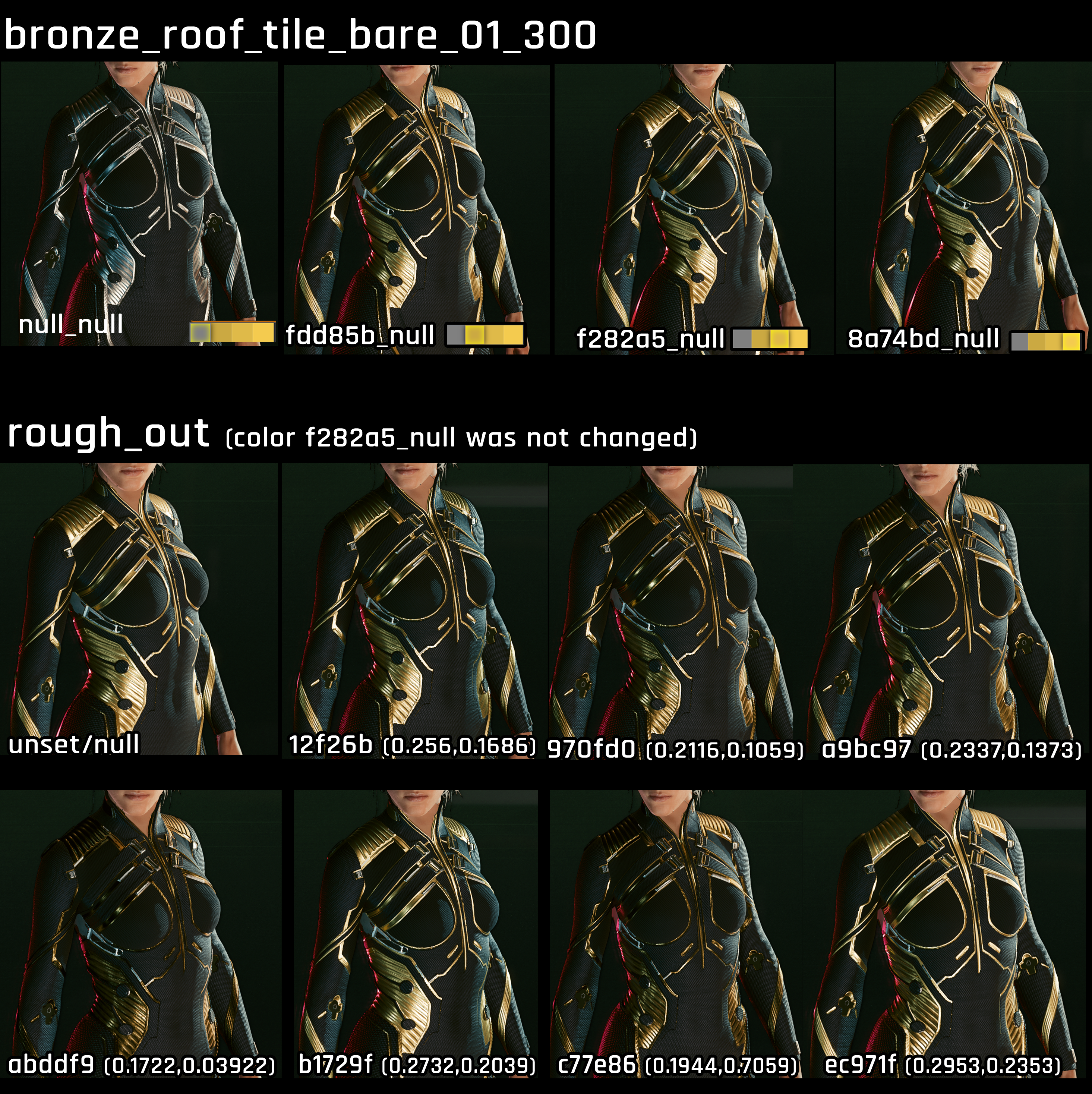
Sets a color from within the mltemplate file. Hex codes corresponds to rows and columns in substance painter.
material
Depot path to the base material mltemplate from which the surface inherits its properties (lightbreaking, subsurface scattering…).
Example values:
base\surfaces\materials\paint\car_paint\car_paint_metallic_01.mltemplatebase\surfaces\materials\metal\enameled_hq\enameled_hq_01_30.mltemplate
matTile
Scaling (tiling multiplier) of the material across the mesh. The higher the value, the smaller it is.
metalLevelsIn
Clamps metalness input levels. This value corresponds to a (generated?) greyscale texture across the entire mesh.
metalLevelsOut
Clamps metalness output levels. This value corresponds to a (generated?) greyscale texture across the entire mesh.
normalStrength
Applies or ignores the base mesh's normal map to this layer. This value can be greater than 1!
offsetU
For logos: X-offset on the texture. Used for e.g. targeting a certain label.
offsetV
For logos: Y-offset on the texture. Used for e.g. targeting a certain label.
opacity
Transparency of the layer, 0 means that it isn't displayed, 1 means that it's fully visible.
roughLevelsIn
TODO
roughLevelsOut
Determines the roughness of a material
How roughness affects a material (the colour was not changed)
Microblend properties
You can only use microblends if this layer's mask is not fully white.
mbTile
Like matTile, this determines the scaling of the microblend. The higher the value, the smaller it is.
microblend
Depot path to the base microblend texture (xbm), a seamless pattern which will be projected on the surface. Think of an extra normal map that tiles across a layer.
microblendContrast
A crossfade between the layer mask and the microblend mask (the black parts of the microblend texture). If you set this to >=1, then the layer will be blocked out where the microblend texture is black.
This requires the xbm's AlphaChannel (transparency) to be set up.
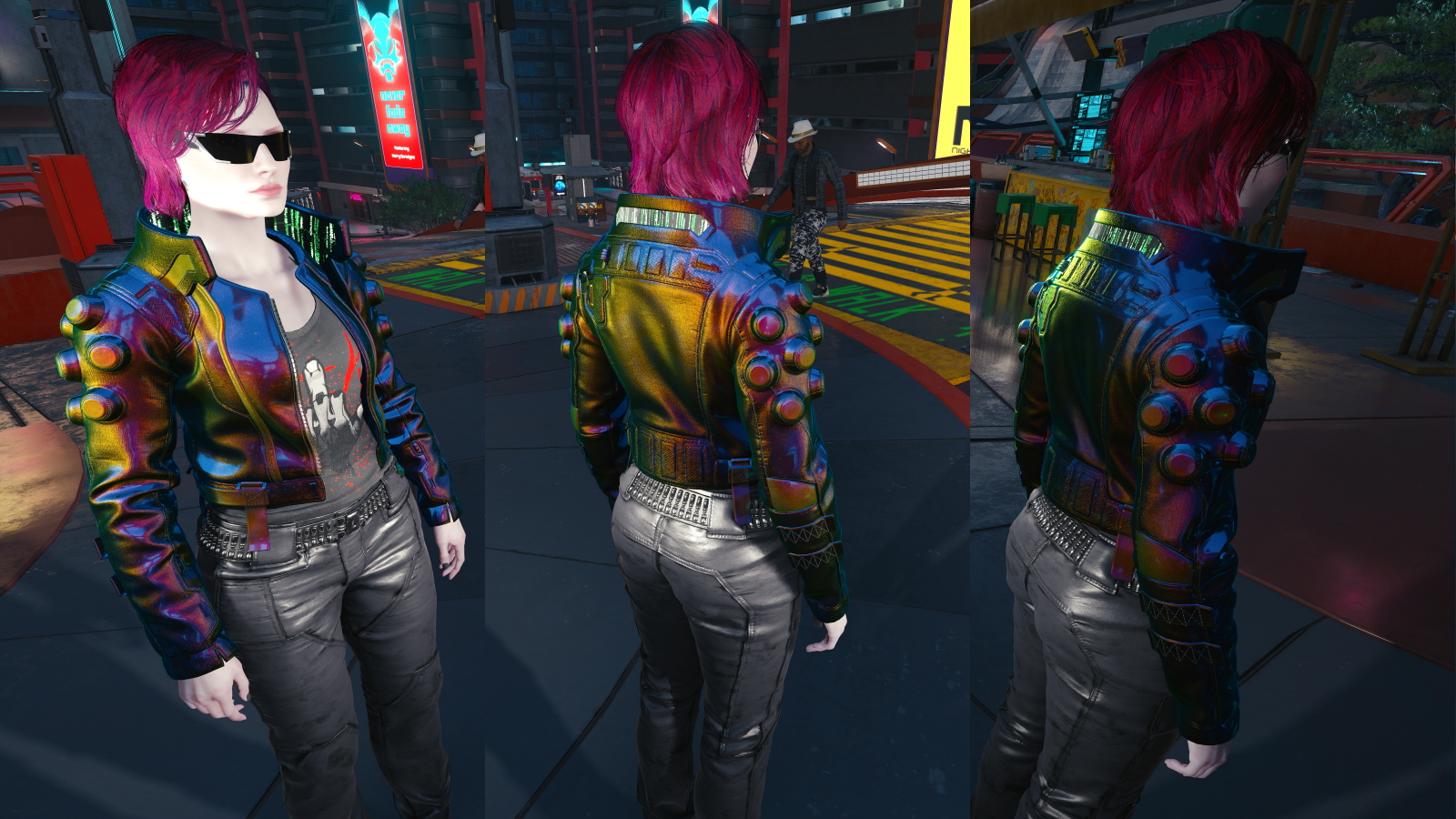
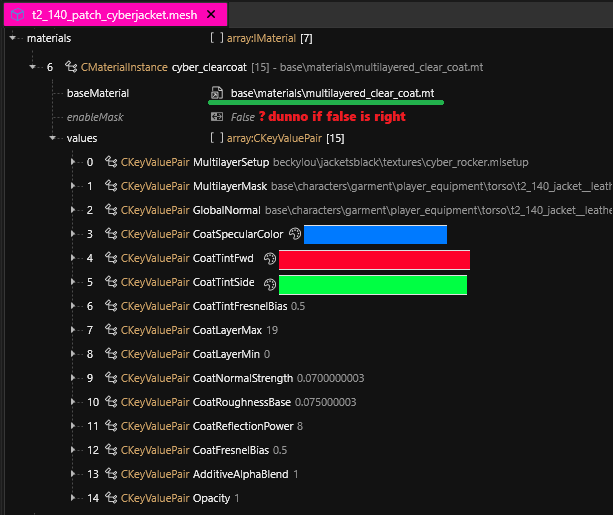
Using ClearCoat lets you put additional hues over an mlsetup:
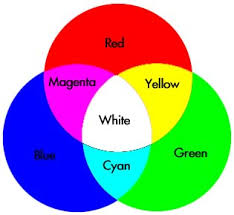
Please note that this uses light colour mixing!
multilayer_blackbody_inject.mt
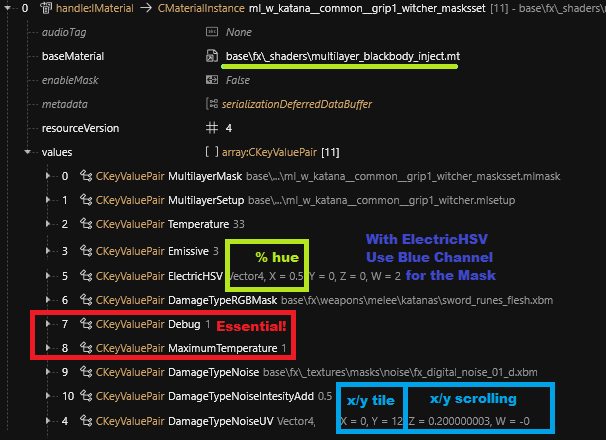
Putting multilayerblackbody_inject.mt into debugging mode allows for the addition of emissives on top of your multilayer setup. The simplest example of this is on the DLC magic rune katana.
Material Setup for Emissive Multilayer Setup
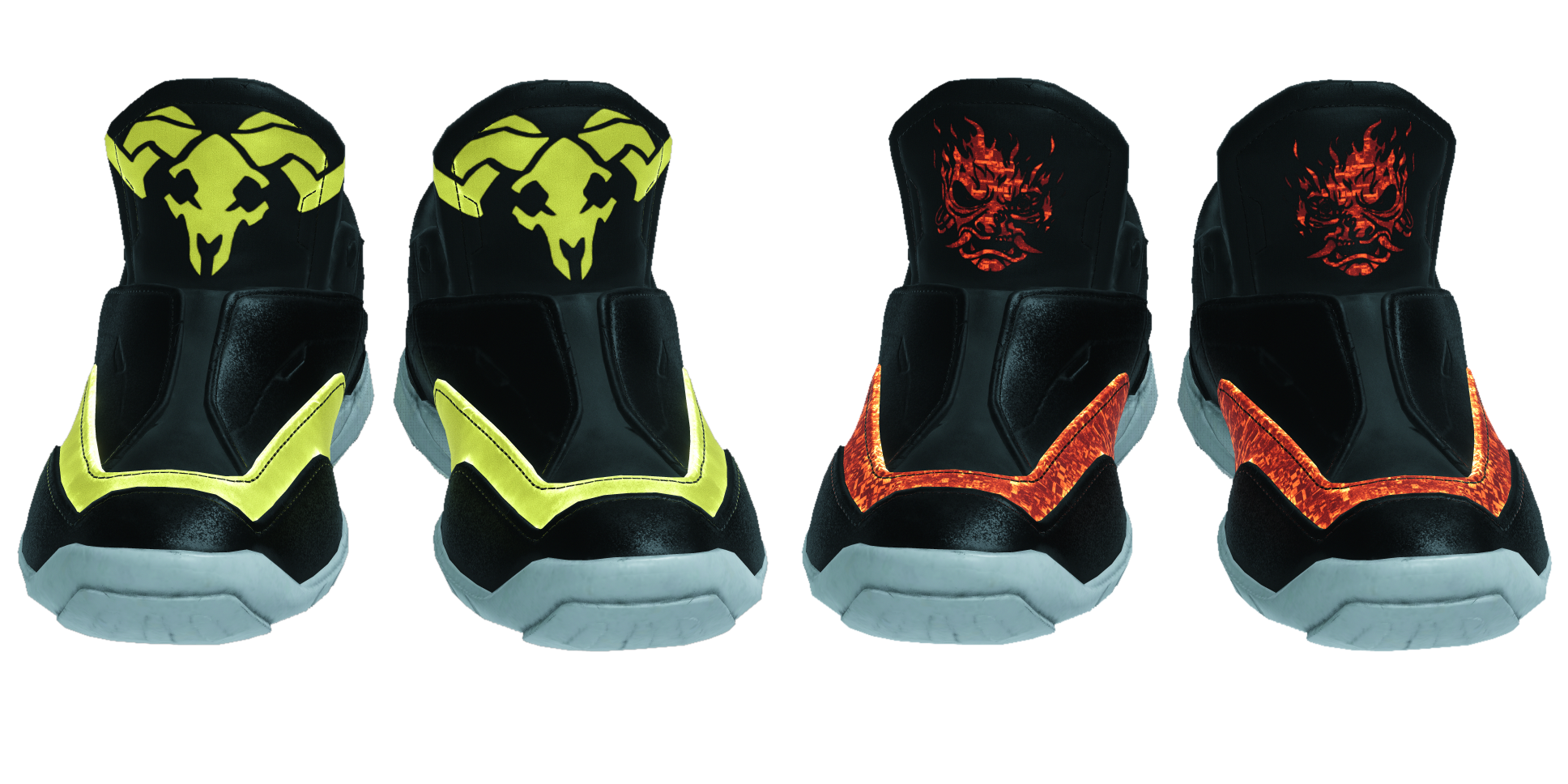
Example of Emissive on top of mlsetup
Emissive painted on the UV DamageTypeRGBMask
Debug and MaximumTemperature are required to be 1 to stop the whole mesh from randomly flashing.
You can also use FireHSV or PoisonHSV combined with red and green layers on the mask to create three different Emissive masks on a single xbm file; however through testing it's currently assumed only one can be used at a time. However you can change the % Hue value to use any colour for the emissive.
An additional texture can be added with DamageTypeNoise. This texture can be scaled with the x/y numbers of the UV setting and scrolled with z/w numbers. More contrast can be added into the noise by increasing the value of IntensityAdd.